ArashDev
Użytkownik
-
Dołączył
-
Ostatnia wizyta
Treść opublikowana przez ArashDev
-
 it's really good app.😍
-
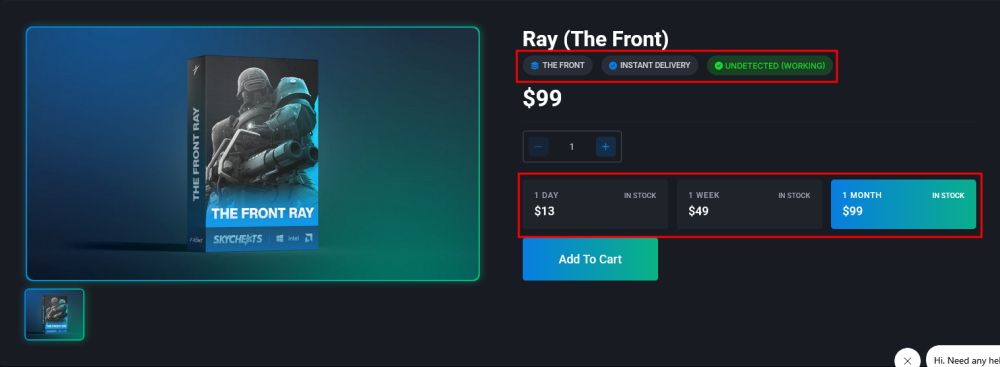
Hello. I have a few questions: What is the name of this theme, and if someone has it, could they make it available for download? https://www.skycheats.com How is this filter section added in the shop page? How can I add these sections to the product page?

-
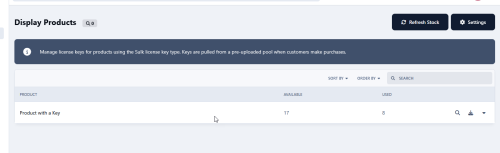
hi I installed the application and created a few products for testing, but in the product settings I couldn’t find any section or option related to licenses.
-
I also when I wanna go to club and file settings, I encounter a white screen
-
hi When I click on the Payment Methods tab in the Payment Settings section, I encounter a white screen. 2025-03-30 22:44:31.281376 [ERROR] [266265] [T0] [APVH_****.com:443:REWRITE] Invalid rewrite condition while parsing: RewriteCond ${LeechProtect:/home/****/****.com/admin:%{REMOTE_USER}:%{REMOTE_ADDR}:4:pbBI7bI5R0Iu5gqKDCm4nDcRsIHwXbwT} leech
-
solved tnx
-
hi I have recently been getting a 404 error on all pages. To troubleshoot the issue, I had to disable the 'Enable Friendly URLs?' option, which resolved my problem. To re-enable it, I downloaded the .htaccess file again and uploaded it to the appropriate location, but after saving the settings, I am still getting the 404 error
-
hi talk with me in PM please
-
New Update and New Price... enjoy
-
hi Recently, I've been encountering the following error. When users log in, this error is displayed, but when a guest user views the forum, no error is displayed. (It should be noted that this error is displayed even in default theme. also I disabled all third parties) [[Template forums/front/index/index is throwing an error. This theme may be out of date. Run the support tool in the AdminCP to restore the default theme.]] error log: lang_not_exists__forums_forum_180
-
-
big UPDATE is coming.....
-
now you can check live demo and buy!
-
hi you should use css to this
-
I had a licensed domain that has expired, and I had to change my domain. Hopefully, by tomorrow, I'll be able to put up an online demo.
-
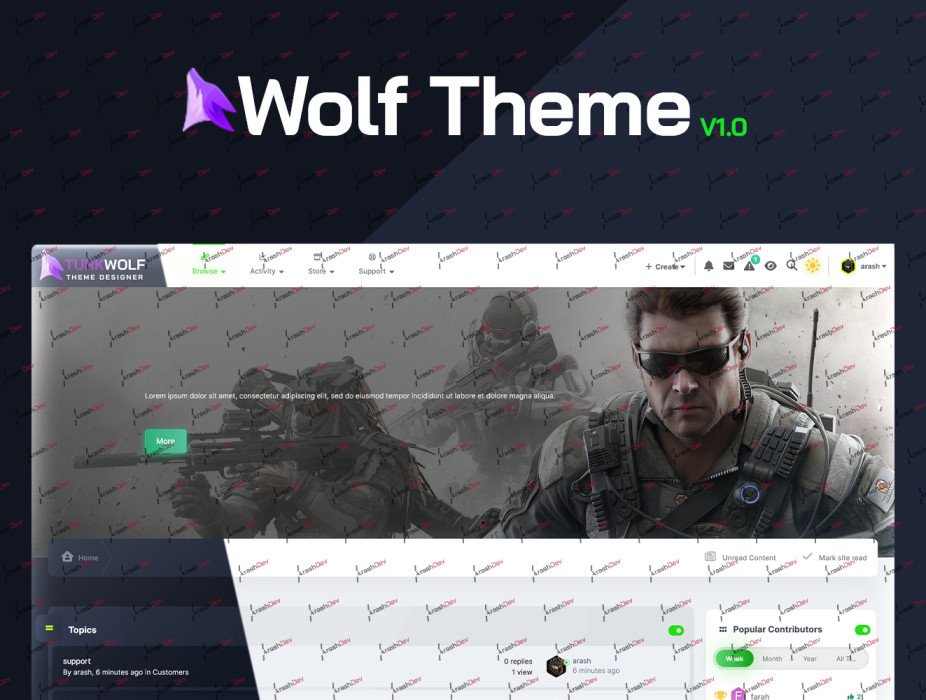
In this topic, I want to introduce a Theme that I've spent months designing. I made an effort to meet the majority of the needs of forum administrators so that they can manage their Theme without the need for coding knowledge. Since I initially intended to sell this product on the official website, but due to my luck, the marketplace closed, I decided to offer it for sale in this forum. I hope this template finds favor with you, dear members. You can purchase this template starting from this Friday. 🕘
-
hi simply use this plugin https://www.pecetowicz.pl/topic/staff-badge-in-user-profile-invision-community-103322/#comment-550233
-
hi Since the marketplace is going to be closed, I intend to sell the Theme I've designed on ThemeForest. Therefore, I want to create a license for the Theme so that, like other ThemeForest products, it can only be executed on a single domain. Is it possible to do this for IPS Themes? Does anyone know if placing licenses on ThemeForest products is mandatory or not? thanks!
-
I feel that due to the large number of tabs, when I click on the 'save and reload' button, instead of staying on the settings page, it redirects to the themes page. In the first method I reduced the number of tabs by moving the options inside them to other tabs to confirm that the issue is indeed caused by having too many tabs, but it didn't resolve the problem. In the second method, I removed the 'widgets' 'verification' 'user-menu' and 'tour' tabs, and upon clicking the 'save and reload' button, I observed that the settings were saved, and I remained on the settings page. I changed the "max_input_vars" value from 1000 to 3000 in my hosting, and everything worked fine. thanks to @DawPi
-
this theme is a business theme and I can't share it here directly. But because I trust you I can send you in private message.
-
hi I have designed a the theme on local host, and everything is working fine. but, after uploading it to the hosting server, when I click on save and reload button in theme settings, instead of staying on the setting page, after save I am redirected to the themes page and In the frontend section, with refreshing, my theme break and I receive the following error (Before refreshing everything works good). TypeError: Unsupported operand types: string / int (0) #0 /home/*****/*****/system/Theme/Theme.php(4828): IPS\Output\Plugin\_Fontsize::runPlugin('2x_large', Array, 'css_core_front_...', 'IPS\\Theme') #1 [internal function]: IPS\_Theme::IPS\{closure}(Array) #2 /home/*****/*****/system/Theme/Theme.php(4785): preg_replace_callback('/\\{([a-z]+?=(['...', Object(Closure), '\tfunction css_c...') #3 /home/*****/*****/system/Theme/Theme.php(4599): IPS\_Theme::compileTemplate('/* Core app, no...', 'css_core_front_...', '', false, true) #4 /home/*****/*****/system/Theme/Theme.php(5488): IPS\_Theme::makeProcessFunction('/* Core app, no...', 'css_core_front_...', '', false, true) #5 /home/*****/*****/system/Theme/Theme.php(2634): IPS\_Theme::writeCss(Array) #6 /home/*****/*****/system/Theme/Theme.php(646): IPS\_Theme->compileCss('core', 'front', '.', 'core.css') #7 /home/*****/*****/system/Dispatcher/Front.php(766): IPS\_Theme->css('core.css', 'core', 'front') #8 /home/*****/*****/system/Dispatcher/Front.php(76): IPS\Dispatcher\_Front::baseCss() #9 /home/*****/*****/system/Dispatcher/Dispatcher.php(110): IPS\Dispatcher\_Front->init() #10 /home/*****/*****/index.php(13): IPS\_Dispatcher::i() #11 {main} I have installed the template on the newly set up forum. I haven't used any programs or plugins. thanks!
-
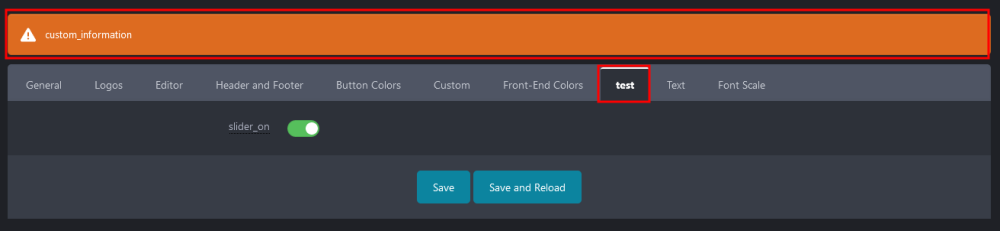
What do you mean by "whole codes"? I'm going to add a settings tab in my theme, and I'm getting the output using the codes I previously sent you, like the image below. However, I want the message above the tabs to be displayed only when I navigate to that specific tab. but, the code I'm using displays the message in all tabs. I hope I was able to convey my meaning.
-
hi I want the users see custom message when they go to a specific tab of the theme settings. I used the code below, but this message is displayed universally for all tabs, while I want it to be displayed for only one tab. <?php \IPS\Output::i()->output = \IPS\Theme::i()->getTemplate( 'global', 'core', 'global' )->message( \IPS\Member::loggedIn()->language()->addToStack('custom_information'), 'warning', NULL, NULL, NULL, FALSE ); return new \IPS\Helpers\Form\YesNo( "core_theme_setting_title_{$row['sc_id']}", $value, FALSE, array( 'togglesOn' => array( 'theme_setting_forums_enbl', 'theme_setting_posts_enbl', 'theme_setting_topics_enbl', )), NULL, NULL, NULL, 'theme_setting_'.$row['sc_key'] ); I hope somebody can help me! thanks
-
-
<?php $members = NULL; if( \IPS\Settings::i()->info_members ) { foreach (explode("\n", \IPS\Settings::i()->info_members) as $key => $value) { $members[] = \IPS\Member::load( $value, 'name' ); } } return new \IPS\Helpers\Form\member( "core_theme_setting_title_{$row['sc_id']}", $members, FALSE, array('multiple' => NULL), NULL, NULL, NULL, 'theme_setting_' . $row['sc_key'] );